vSphere 7 U1 - Part 3 - Creating a Datacenter, HA/DRS Cluster and Adding a Host
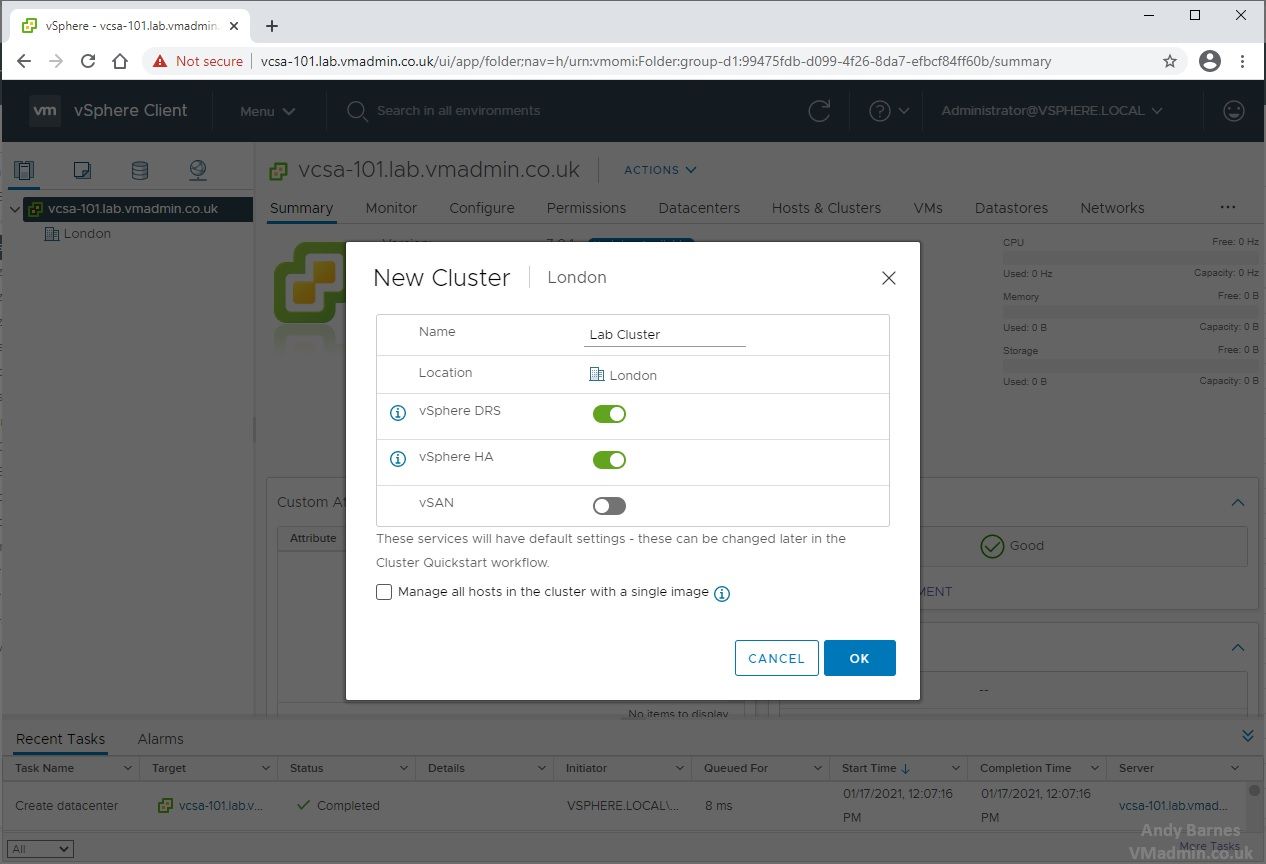
This is Part 3, now you have an ESXi host and vCenter Server appliance deployed, in this part we are going to complete some core tasks to ready ourselves for provisioning virtual machines.
We are going to create and configure the following:
-
Create a Datacenter
-
Create Cluster with HA and DRS enabled
-
Add an ESXi host to the cluster
vSphere 7 U1 - Part 2 - Deploying vCenter 7.0 U1 VCSA
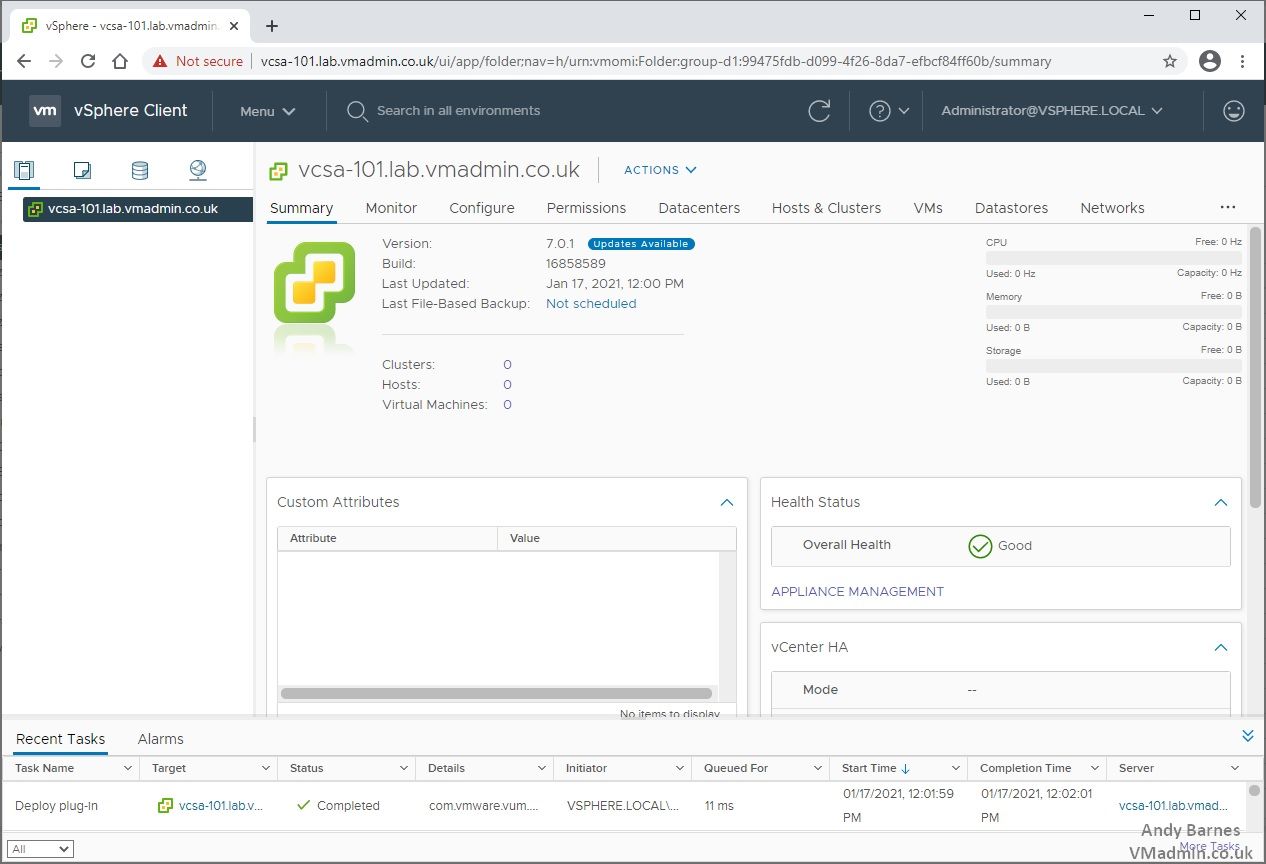
The vCenter Server Appliance (VCSA) is virtual appliance based on the VMware Photon OS, optimized for running vCenter Server and the associated services.
vCenter Server provides a centralized platform for management, operation and provisioning of virtual machines, storage and virtual networks.
The VCSA includes an embedded PostgreSQL database instance, which is fully supported for the vCenter and vSphere configuration maximums and is the database solution to utilize going forward.
The vCenter Server contains vCenter Server, vSphere Client, vSphere Auto Deploy, and vSphere ESXi Dump Collector. The vCenter Server appliance also contains the VMware vSphere Lifecycle Manager Extension service and the VMware vCenter Lifecycle Manager, previously named Update Manager.
It is also worth noting that with 7.x VMware no longer support external platform services controllers (PSCs) and an embedded PSC will be deployed as part of this VCSA install.
vSphere 7 U1 - Part 1 - Installing ESXi 7.0 U1
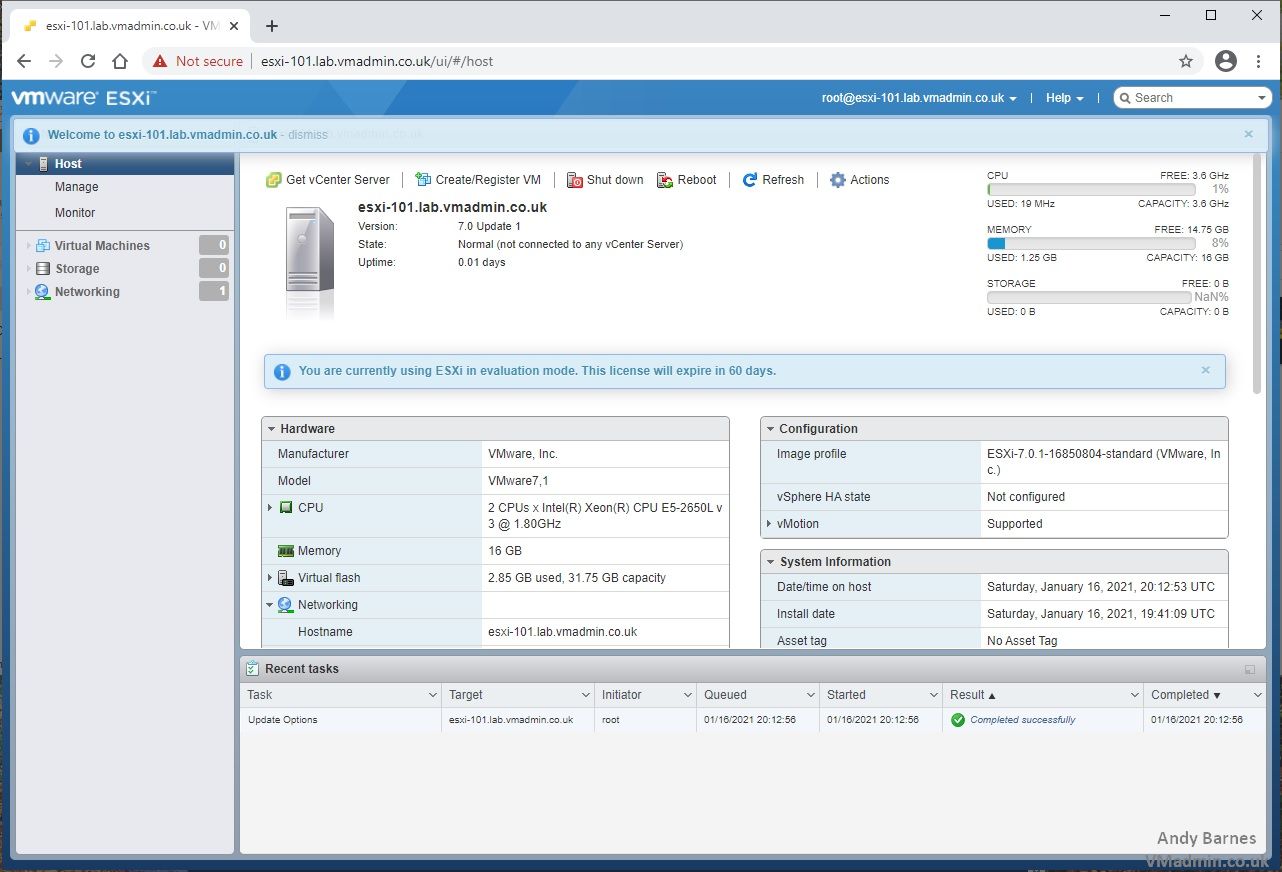
Here we are right at the beginning of a multi part how to series I'm putting together on vSphere 7.0 U1.
If you missed any of the previous parts of the series or want go back/forward here is the jump list:
vSphere 7 U1 - Part 1 - Installing ESXi 7.0 U1
vSphere 7 U1 - Part 2 - Deploying vCenter 7.0 U1 VCSA
vSphere 7 U1 - Part 3 - Creating a Datacenter, HA/DRS Cluster and Adding a Host
The first thing first we are going to install ESXi Server 7.0 U1. This is the baremetal hypervisor that will run our VMs and may be one of several servers you wish to build into a cluster managed by vCenter server to provide HA, DRS and vMotion features for VMs.
The ESXi server installation is straightforward, at this initial stage all we need to do is get the hypervisor installed, then configure the password and basic networking such as IP/subnet/gateway for the management network.
1. Check the server hardware you are installing ESXi 7.0 U1 onto is supported and on the VMware HCL.
Veeam CBT Data is Invalid - Reset CBT Without Powering Off VM
If a Veeam backup job gets interrupted part way through it, you can generally can retry with success.
However, depending on the reason for the backup job interruption, additional issues can arise, one of these being topic of this post, which is change block tracking (CBT) no longer working.
This could be due to a number of reasons, such as a snapshot being removed during a backup, network or storage outage, to a host becoming inaccessible.
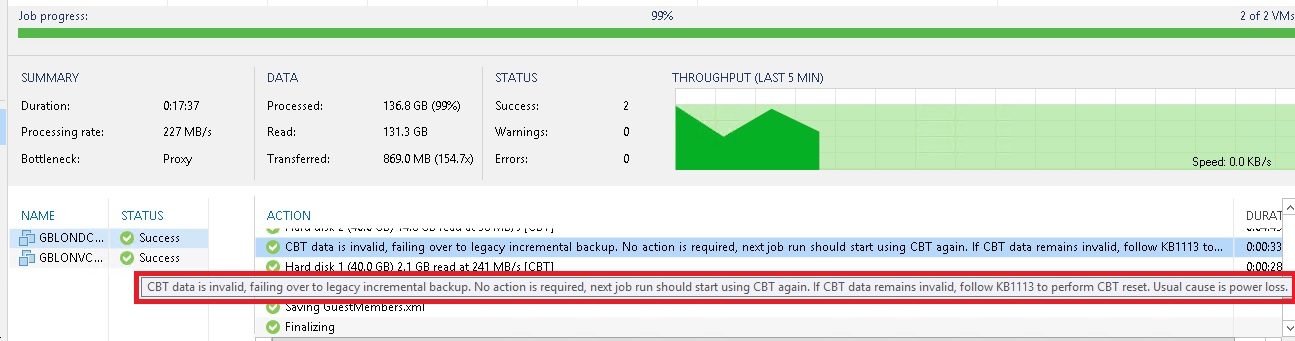
You will notice within the backup job's action log the following warning:
"CBT data is invalid, failing over to legacy incremental backup. No action is required, next job run should start using CBT again.
If CBT data remains invalid follow KB1113 to perform CBT reset. Usual cause is power loss."
View Administrator Blank Error Dialog/Window After Upgrade
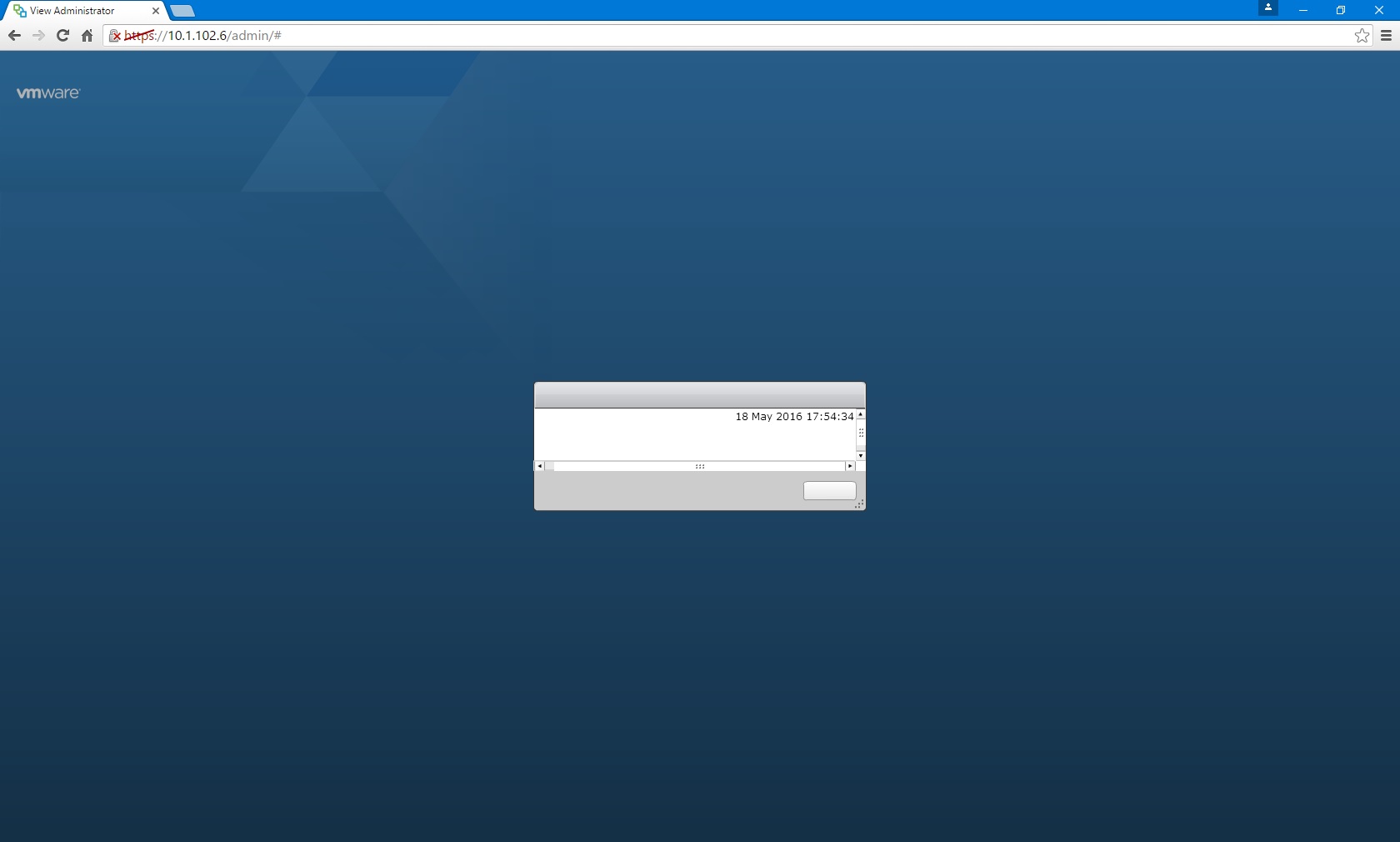
After performing an upgrade of a View Connection Server from 6.2 to 7.0 in the demo lab, I came across the blank error dialog/window as shown below.
It turns out there is an important functionality change in how VMware View checks the URL you are using to access the administrator page.
This result of this change means unless you access the View Administrator page as https://localhost/admin or the URL defined in the secure tunnel URL (e.g. https://f.q.d.n/admin the request is rejected, and the error is not particularly helpful either (i.e. a blank dialog with a timestamp).
In my case this is a demo lab and hence separate from other systems. Because of this, I was using was the View Connection Server IP address (e.g. https://10.11.12.13/admin) which worked fine in the past. However the URL check is now causing the error seen below. Which may also apply to load balanced IPs/FQDNs.
App-V 5.x Writing to the native registry
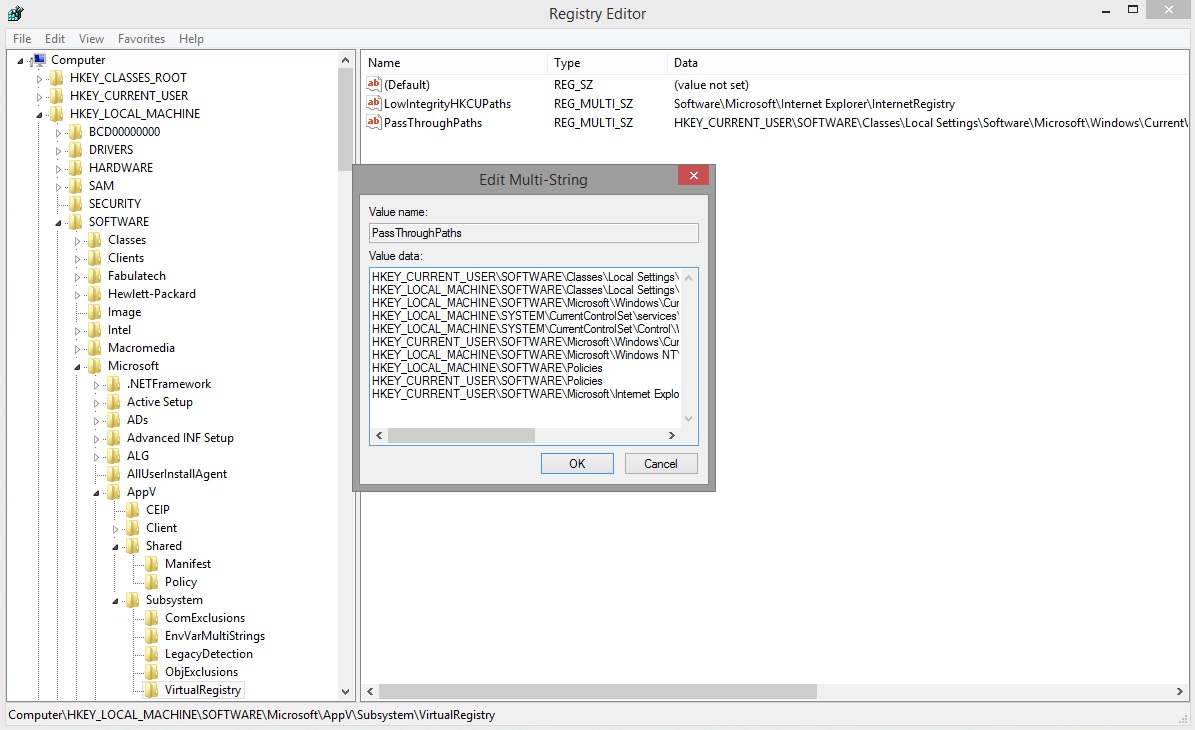
Occasionally you may come across a requirement for an App-V application to write to the native registry (i.e. that of the desktop which the App-V client is installed on).
By default all App-V applications write their registry keys and values to the virtual registry specific to that published App-V.
That same virtual registry may contain registry keys created during the installation and sequencing of an application. It is possible to exclude certain registry paths during the sequencing, but any new keys will still be created in the virtual registry at exection time.
An App-V application can see both the virtual registry and the native registry (also known as merge).
vSphere Transparent Page Sharing (TPS) in Horizon View
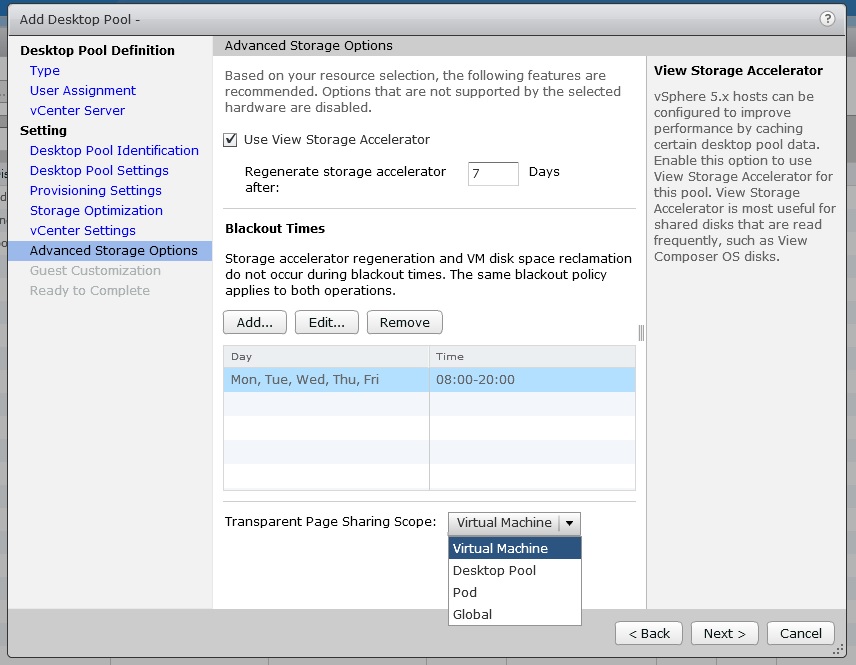
As you may already know, VMware have disabled the popular memory management and memory saving feature; Transparent Page Sharing (TPS) in later releases of ESXi by default.
ESXi 5.1U3 and future Update releases of ESXi 5.0 and 5.5 including ESXi 6.x have TPS disabled, however this can be enabled in the advanced settings of the host.
Technically it's still there and enabled but it is only creating pointers for duplicate memory pages at the individual VM level, so there is no inter-VM page sharing taking place.
If you don't know the full details of why this is you can read all about it on VMware's KB..
Security considerations and disallowing inter-Virtual Machine Transparent Page Sharing (2080735)
http://kb.vmware.com/kb/2080735
When it comes to a Horizon View deployment with desktop pools containing 100's of desktops this is a feature which saves lot of physical memory on the ESXi hosts, by creating pointers to an identical page in memory rather than duplicating a page.
Having this disabled by default can cause the design and specification of a Horizon View environment to change significantly, as memory saving of between 10% and 40% can be achieved with it enabled.
If you are upgrading an existing View environment you need to be acutely aware of this, as you the memory on your hosts may become contented if you were close to the limit.
If you have assessed and approved the security risk associated with enabling TPS in a desktop environment, you can from within the nice Horizon View web GUI enable TPS based on a desktop pool setting.
Mouse Cursor Disappears on a Windows 8.1 View Desktop Following Update
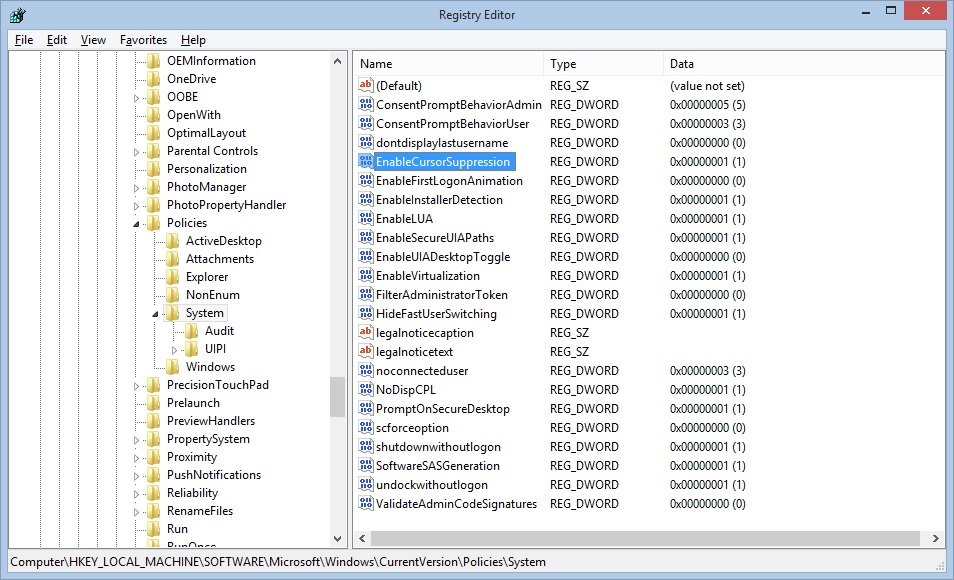
Following an update within Windows 8.1 Update 1 the mouse cursor within a VMware View desktop my occasionally disappear.
When locking the desktop (ctrl+alt+del) and subsequently unlocking the desktop, it can be noted that the cursor has disappeared.
You may however notice some objects are highlighted as you move the mouse.
Reconnecting the desktop session or logging off/on allows the cursor to return.
This can be resolved by disabling cursor suppression in the registry; by doing so in either your master image and recomposing the desktop pools, or creating the reg key in a group policy preference and restarting all the desktops.
VMware Adobe Flash Optimizer IE Addon - Enable/Disable via GPO
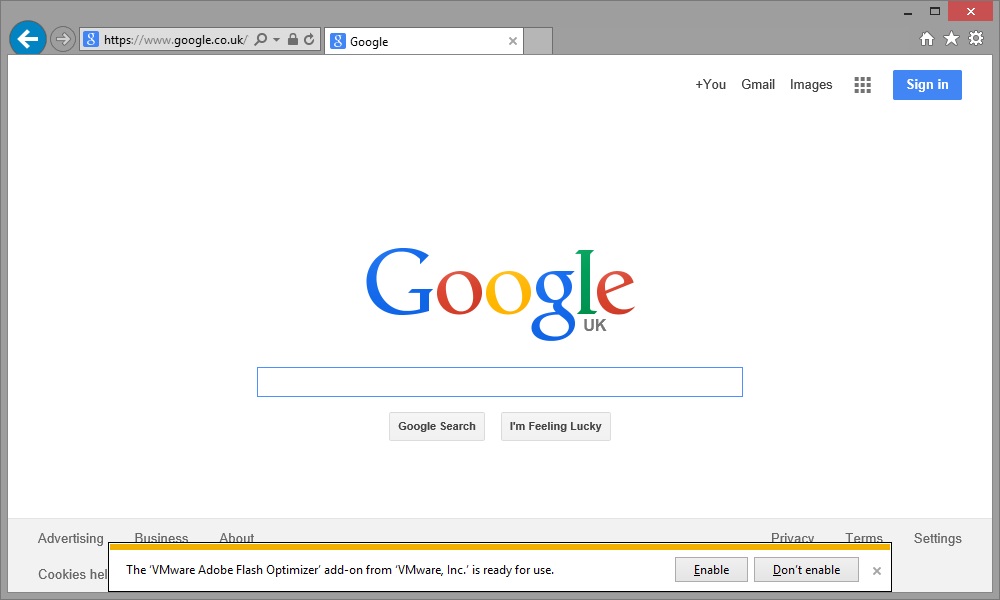
The VMware View Agent which is installed in all virtual desktops (and RDS hosts) managed by Horizon View, includes the VMware Adobe Flash Optimizer internet explorer add-on.
This IE add-on is provided so the View administrator can control the flash settings for all virtual desktops in the desktop pool to optimize them for a VDI environment to improve bandwidth.
There are two settings which can be configured on the desktop pool (which are disabled by default):
- Flash Quality - which controls the quality of the flash movie, reducing bandwidth requirements
- Flash Throttling - which controls the frame rate of the flash move, again reducing the bandwidth requirements
When a user opens Internet Explorer they will be presented with a prompt requesting if they wish to enable or disable this add-on.
If you as the View administrator wish to control the flash settings based on the desktop pool setting, giving the user the option to disable this add-on is going to make any of those optimizations unapplicable as the add-on will not be enabled.
Additionally the user may not know what to answer, causing confusion and support calls. This should be enabled via group policy so that the user is not prompted and the add-on is enabled.
Alternatively you may choose to disable the add-on if you are not using the flash optimization settings.
Horizon View vCenter Role Permissions PowerCLI Script
As a consultant I perform a lot of VMware Horizon View implementations and I find several of the implementation tasks repetitive.
One of those tasks is the creation of a role within vCenter to give the service account used by View Administrator to connect to vCenter server a role with only the required permissions.
While some people use the Administrator role this is wrong and the correct permissions VMware state in the View documentation should be used.
There are two sets of permissions, there are the default required permissions for View to create full clones and power off/on desktops etc, and there are additional permissions required if View Composer is being used to create linked clones.
I created the PowerCLI script below which can be used to create a role for "Horizon View (inc Composer)" and add the required permissions documented by VMware to save myself time.
Converting Server 2012 / 2012 R2 Core to GUI without Powershell
Today I received an email from a customers supplier along the lines of..
We installed an IIS feature, restarted the server and now all we get is a command prompt when connecting via RDP.
Being the first time I'd heard of this happening, I interestingly connected to see what they had managed to break this time (nuff said there)!
Upon logging in via RDP I ended up with a black screen and a command prompt, which somewhat baffled me with this server being a full GUI server install for the last 2 months up until this point!
Share this blog post on social media:
Tweet


Latest Blog Posts
- vSphere 7 U1 - Part 3 - Creating a Datacenter, HA/DRS Cluster and Adding a Host
- vSphere 7 U1 - Part 2 - Deploying vCenter 7.0 U1 VCSA
- vSphere 7 U1 - Part 1 - Installing ESXi 7.0 U1
- Veeam CBT Data is Invalid - Reset CBT Without Powering Off VM
- View Administrator Blank Error Dialog/Window After Upgrade