To create a VMFS datastore you need SCSI storage.
This can be either local SCSI disks (with or without RAID), or shared storage such as SAN storage (iSCSI or Fibre Channel) or NFS.
The storage device and ESX server must be configured prior to this so that the the storage can be seen by the ESX server.
See Configuring iSCSI Storage (Basic) or Configuring iSCSI Storage (Advanced with CHAP) for an example and help on this if required.
If you already have this configured you can continue.
It is also possible to create a VMFS datastore via the ESX server service console (see Service Console - VMFS Datastores).
1. Click on the "Configuration" tab on the server, then choose the "Storage" section.
2. You may see other configured datastores such as the local one here. Click "Add Storage".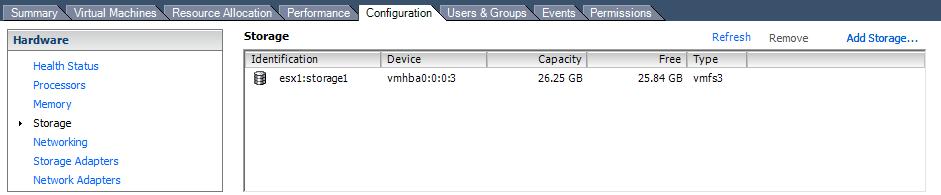
3. Select "Disk/LUN" for the storage type. Click Next...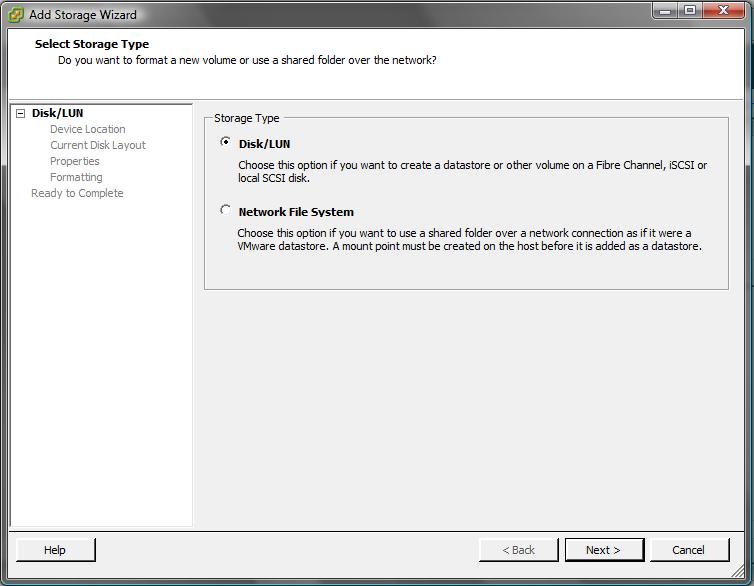
4. You will now see any LUNs that have not yet been assigned. Select the LUN you want to use for your VMFS datastore and click Next...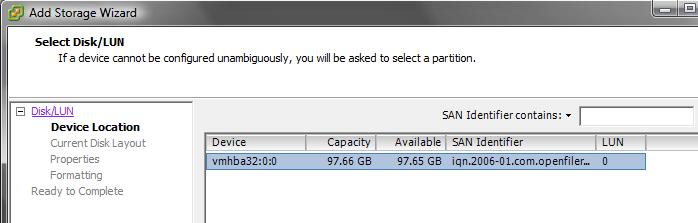
5. Review the disk layout. Click Next...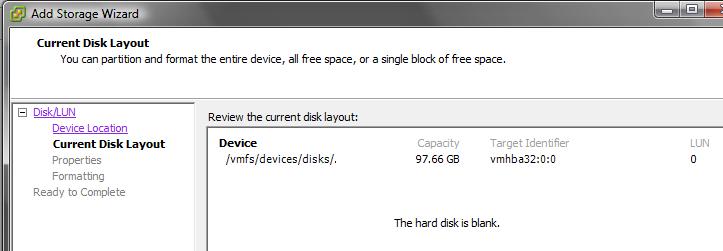
6. Give the datastore a name that will help you identify it. Click Next...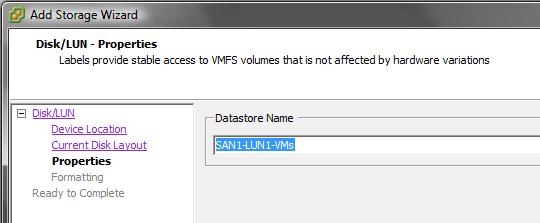
7. Choose an appropriate maximum file size for files on the VMFS volume.
If you will not have any virtual disks larger than 256GB each then choose a block size of 1MB. Click Next...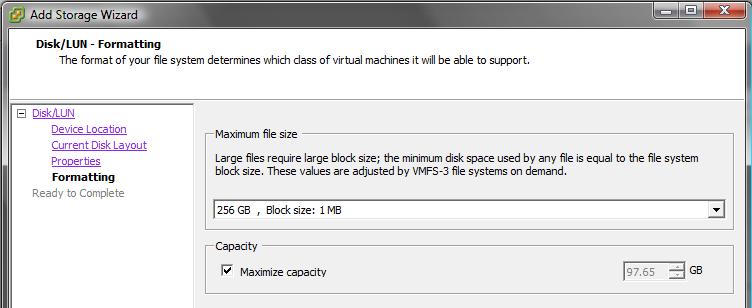
8. Review the device, partition and file system details. Click Finish.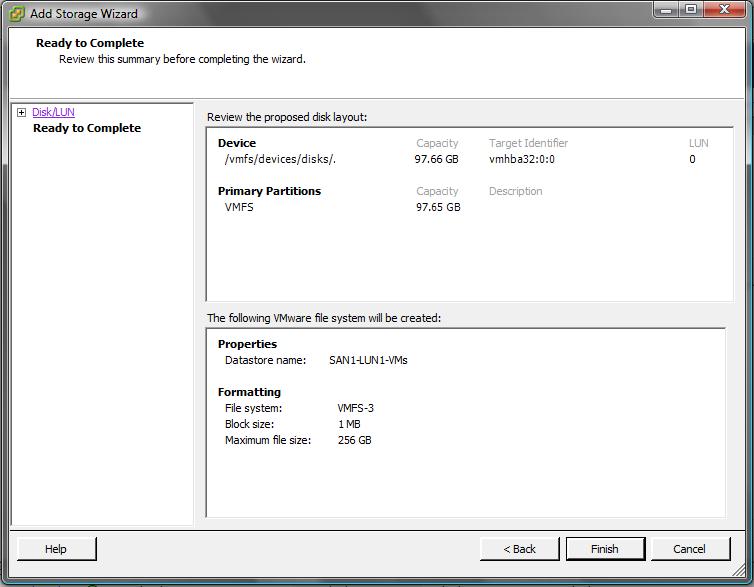
9. A task named "Create VMFS Datastore" will run and complete. The VMFS datastore is now ready to use.
10. This datastore can now been seen in the "Storage" section of the server configuration.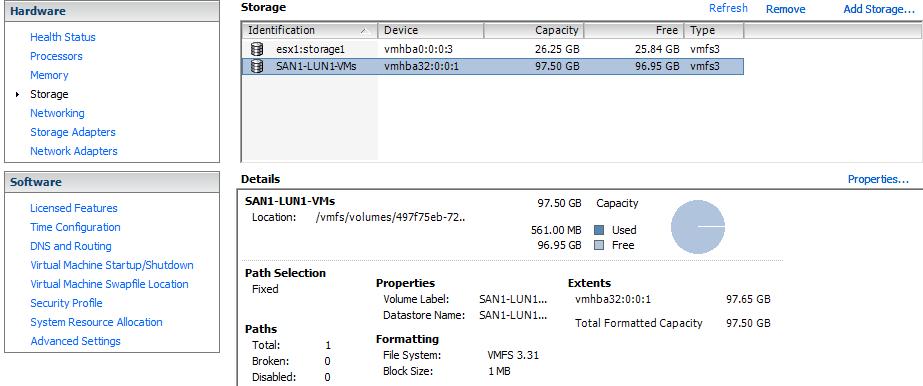
Share this blog post on social media:
Tweet


Latest Blog Posts
- vSphere 7 U1 - Part 3 - Creating a Datacenter, HA/DRS Cluster and Adding a Host
- vSphere 7 U1 - Part 2 - Deploying vCenter 7.0 U1 VCSA
- vSphere 7 U1 - Part 1 - Installing ESXi 7.0 U1
- Veeam CBT Data is Invalid - Reset CBT Without Powering Off VM
- View Administrator Blank Error Dialog/Window After Upgrade