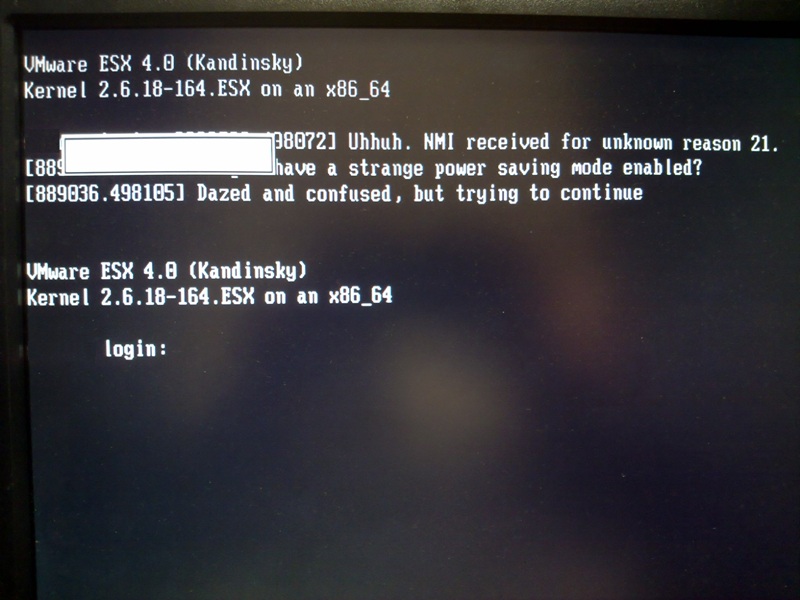
Today I found an intresting error on an ESX server service console. The ESX 4.0 U1 server displayed for following error...
Uhhuh. NMI received for unknown reason 21.
Do you have a strange power saving mode enabled?
Dazed and confused, but trying to continue
The physcial server itself (a Dell PowerEdge 2950) was displaying an error on the LCD:
E171F PCIE Fatal Err Slot 3
Pressing F12 on the ESX service console to view the log displayed the following:
Which also confirms the cause to some VMs losing network connection due to a physcial PCI-E NIC failure.
Even though a NIC had failed the ESX server continued to run but there were no reports of the failure in the hardware tab or via an email from vCenter. It was only highlighted from the orange flashing light on the physical server being noticed by a colleague.
Share this blog post on social media:
Tweet


Latest Blog Posts
- vSphere 7 U1 - Part 3 - Creating a Datacenter, HA/DRS Cluster and Adding a Host
- vSphere 7 U1 - Part 2 - Deploying vCenter 7.0 U1 VCSA
- vSphere 7 U1 - Part 1 - Installing ESXi 7.0 U1
- Veeam CBT Data is Invalid - Reset CBT Without Powering Off VM
- View Administrator Blank Error Dialog/Window After Upgrade