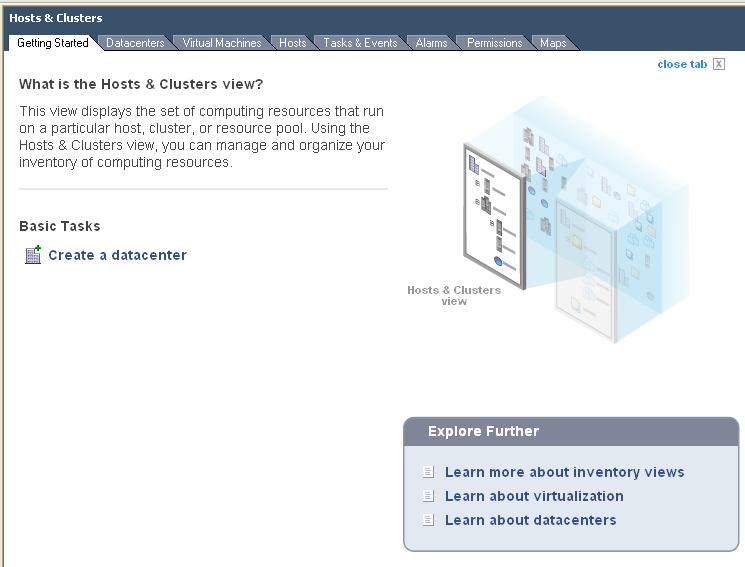
After a while the "Getting Started" tabs in VI client can get a bit annoying. But dont worry you can remove them.
BEFORE:
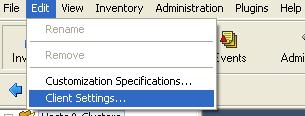
Go to Edit --> Client Settings.
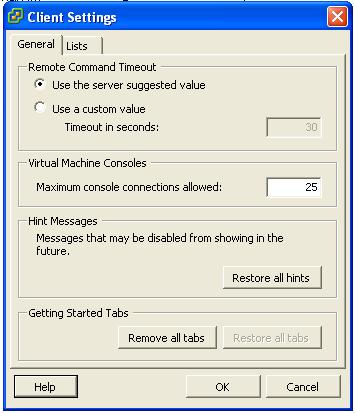
In Client Settings under the Getting Started Tabs section click "Remove all tabs".
Then Click "Ok". Job done. It will remember this from now on.
AFTER:

Share this blog post on social media:
Tweet


Latest Blog Posts
- vSphere 7 U1 - Part 3 - Creating a Datacenter, HA/DRS Cluster and Adding a Host
- vSphere 7 U1 - Part 2 - Deploying vCenter 7.0 U1 VCSA
- vSphere 7 U1 - Part 1 - Installing ESXi 7.0 U1
- Veeam CBT Data is Invalid - Reset CBT Without Powering Off VM
- View Administrator Blank Error Dialog/Window After Upgrade