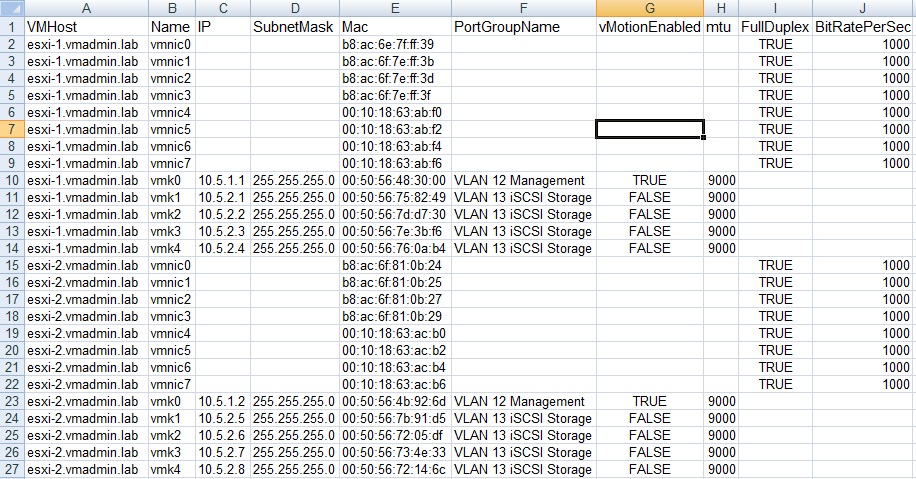
Before performing a piece of network maintenance I wanted ensure I had an up-to-date list of network information for all ESXi servers.
I was apprehensive to refer to old documentation incase something had changed.
To do this I used PowerCLI, specifically "Get-VMHostNetworkAdaptor" to retrieve a current set of information from all VM hosts containing networking information.
List VM host network details and output to the PowerCLI console:
Get-VMHostNetworkAdapter | select VMhost, Name, IP, SubnetMask, Mac, PortGroupName, vMotionEnabled, mtu, FullDuplex, BitRatePerSec
Output to CSV VM host network details:
Get-VMHostNetworkAdapter | select VMhost, Name, IP, SubnetMask, Mac, PortGroupName, vMotionEnabled, mtu, FullDuplex, BitRatePerSec | Export-Csv C:\VMHostNetworkDetails.csv
Example CSV Output: