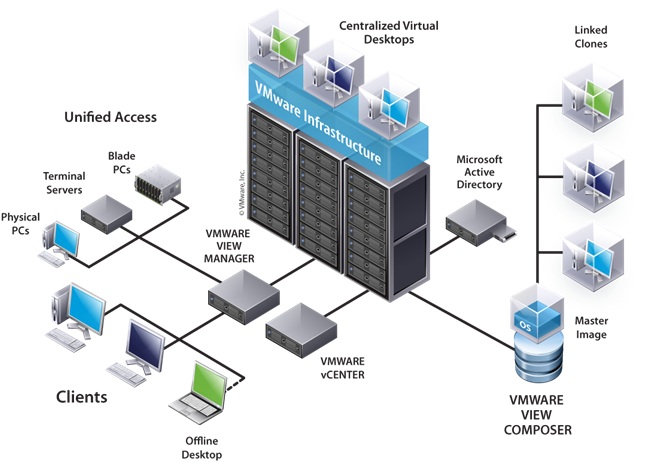
This is an introduction to VMware View 4 and how its components are installed alongside vSphere to provide virtual desktops.
What VMware say View is.... "Deliver rich, personalized virtual desktops as a managed service from a virtualization platform built to deliver the entire desktop, not just applications. VMware View 4 allows you to consolidate virtual desktops on datacenter servers and manage operating systems...." Ok thats enough you get the idea.
But in plain english this means the same platform (vSphere) is used to provide users desktops. This allows for fast provisioning of desktops, improved reliability, better management etc you already know the benefits of virtulisation its just extending it to desktops.
Pre-requisites:
Documentation
I recommend reading before starting...
View 4 Architecture Planning Guide
Download
Download View 4 (Enterprise / Premier)
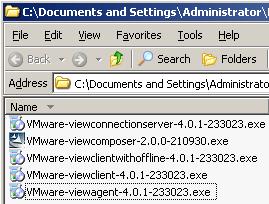
Components of VMware View Enterprise:
-
View Connection Server 4 (Install on dedicated server)
-
View Agent (Install on virtual desktop VM)
-
View Client (Install on client physical desktop)
Components of VMware View Premier:
-
View Connection Server 4 (Install on dedicated server)
-
View Composer 2 (Install on vCenter server)
-
View Agent (Install on virtual desktop VM)
-
View Client (Install on client physical desktop)
-
View Client Offline Desktop (Install on client physical laptop) - Still Experimental
How To Series: VMware View Installation, Configuration and Management
Part 1 - Installing VMware View Composer 2
Part 2 - Installing VMware View Connection Server 4
Part 3 - Configuring VMware View Connection Server 4 with View Manager
Part 4 - Creating a Master Image for VMware View Desktop Deployment
Part 5 - Provisioning an Individual Desktop with View Manager
Part 6 - VMware View 4 - Windows 7 Deployment Guide
Part 7 - Creating an Automated Desktop Pool