When powering on a virtual machine you may get the following error relating to resources:
"Insufficient memory resources"
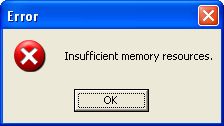
This has occurred because the virtual machine has a minimum amount of memory assigned to it.
For it to be able to power on, there has to be sufficient memory available.
Aside from having enough physical memory and options for overcommitment, page sharing etc... Resource pools are a very common cause of this issue.
In this example the virtual machine is part of a resource group.
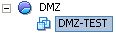
Resource pools can be created with specific reservations and limits.
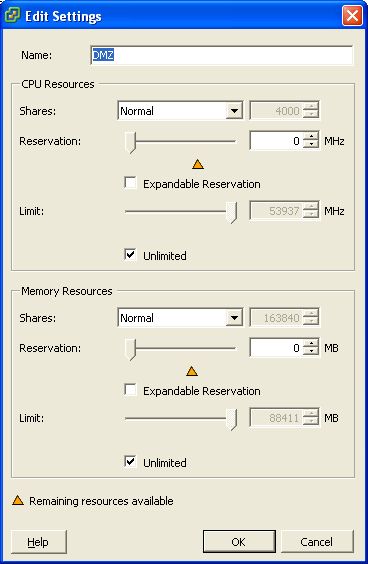
Here we have a resource pool with its limit set to unlimited.
However its reservation is at 0 Mhz and 0 MB with expandable reservation off.
By having it configured this was there is no resources available in the pool.
To power on the VM the resource pool needs at least enough memory the VM is configured for (in this case the VM is set to 512 MB Memory).
To solve this problem two different routes can be taken.
-
Expandable reservation can be turned on for the resource pool and this will then use the parent or root resource pool.
-
Configure the correct amount of resource reservation (with surplus if required) for the virtual machines that are to be powered on in the resource pool.
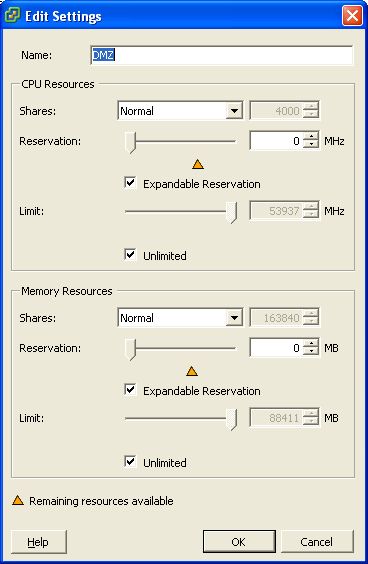
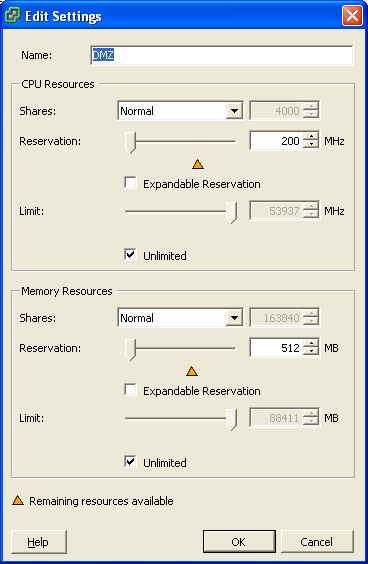
After configuring the correct resources for the resource pool and hence the virtual machines within it, the virtual machine can now be powered on.
Share this blog post on social media:
Tweet


Latest Blog Posts
- vSphere 7 U1 - Part 3 - Creating a Datacenter, HA/DRS Cluster and Adding a Host
- vSphere 7 U1 - Part 2 - Deploying vCenter 7.0 U1 VCSA
- vSphere 7 U1 - Part 1 - Installing ESXi 7.0 U1
- Veeam CBT Data is Invalid - Reset CBT Without Powering Off VM
- View Administrator Blank Error Dialog/Window After Upgrade