I had created a host profile from an identical server (NICs etc) and applied to a fresh install of ESX 4. However it failed for a couple of reasons half way though applying. At this point it had converted the standard virtual switch (SVS) to several DVS distributed virtual switches (DVS), and moved the pNICs as part of this. After correcting the problem I went back to continue to apply the profile to the server to complete the remaining parts (firewall etc) however I received the following error:
"IP Address <ip.add.re.ss> is used for multiple virtual nics"
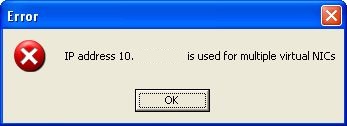
There was little to no information about this occuring for anyone so this is what I did...
1. First remove a pNIC from a DVS (or use a spare).
2. Create a new standard virtual switch (SVS).
3. Add the pNIC (from the DVS or the spare) to the SVS.
4. Migrate the Service Console "vswif0" from the DVS to the SVS using the "Migrate to Virtual Switch" option under "Manage Virtual Adaptors" in the DVS.
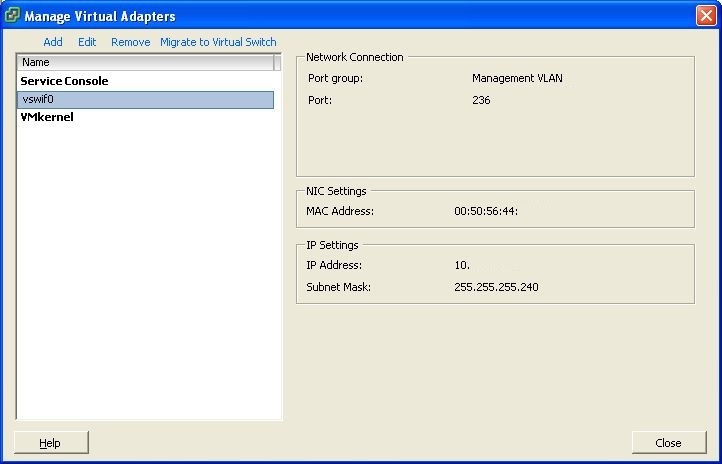
5. This should correct the problem of multiple virtual nics being defined and allow the host profile to apply correctly.
Share this blog post on social media:
Tweet


Latest Blog Posts
- vSphere 7 U1 - Part 3 - Creating a Datacenter, HA/DRS Cluster and Adding a Host
- vSphere 7 U1 - Part 2 - Deploying vCenter 7.0 U1 VCSA
- vSphere 7 U1 - Part 1 - Installing ESXi 7.0 U1
- Veeam CBT Data is Invalid - Reset CBT Without Powering Off VM
- View Administrator Blank Error Dialog/Window After Upgrade