There has been something bugging me with Windows Server 2008 (Release 1) when Service Pack 2 is installed.
That is after a reboot the server always loses its IP address you set for the default gateway on its network interface.
I have tried alsorts to resolve this in testing, and a quick browse of the web shows this is actually quite a problem other IT guys are experiencing. With some even rebooting servers hundreds of miles away to find they can no longer reach it due to losing its default gateway!
Fortuntley for me its something I identified in servers beng deployed from a virtual machine template, and they could be fixed via the vSphere client console :-)
Even clean installs have this issue after service pack 2 is installed, but at the time of writing no-one has had an official response from Microsoft as to a bug or a fix. The only way I found that worked in my situation is to use NETSH to reset TCP/IP on the network interfaces as follows.
Note: Do this on the console (NOT RDP!) as you will lose network connectivity (All IP settings on the NIC are reset)!
1. Record the network settings on the server
IP address
Network mask
Default gateway
DNS
WINS
2. Open a command prompt and reset TCP/IP
netsh int ip reset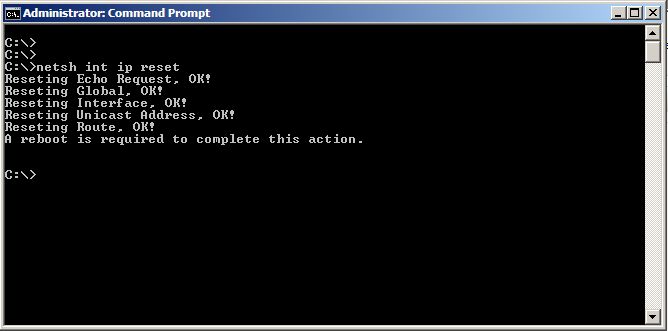
3. Reboot the server
4. Re-enter the previously recorded network settings for the NIC.
IP address
Network mask
Default gateway
DNS
WINS
5. Perform a final reboot to confirm the default gateway now remains after a reboot
Share this blog post on social media:
Tweet


Latest Blog Posts
- vSphere 7 U1 - Part 3 - Creating a Datacenter, HA/DRS Cluster and Adding a Host
- vSphere 7 U1 - Part 2 - Deploying vCenter 7.0 U1 VCSA
- vSphere 7 U1 - Part 1 - Installing ESXi 7.0 U1
- Veeam CBT Data is Invalid - Reset CBT Without Powering Off VM
- View Administrator Blank Error Dialog/Window After Upgrade