I recently came across the following error with VMware Update Manager 4...
There was an error connecting to the VMware vCenter Update Manager [servername:8084].
: Vmomi.Fault.NotAuthenticated : The session is not authenticated.
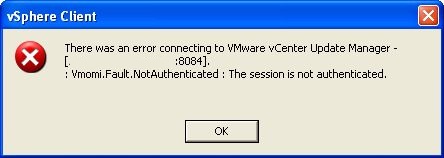
No related changes to VUM or vSphere in general had been made that would affect it. However the user account I was using and logged into vSphere with had its password changed, which assumably was the cause. Restarting the "VMware Update Manager Service" resolved the problem.
First I checked the vSphere client plugin. It was showing an error "Plug-in is unavailble for the following server(s): servername".
Attempting to right click and enable the plug-in resulted in the same error.
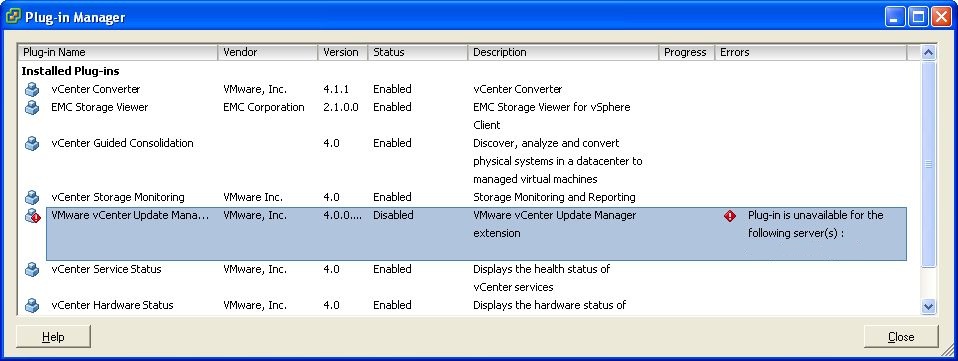
Checking the Update Manager logs there were messages relating the problem to connections issues with Update Manager and the client.
C:\Documents and Settings\All Users\Application Data\VMware\VMware Update Manager\Logs\
vmware-vum-server-log4cpp.log
vmware-vum-server-logXcpp.log
[2010-03-23 19:33:04:899 'VaCimClientXML' 4424 ERROR] [vaCimClientXml, 1217] SendRequestToGuest to IP 192.168.1.26:5489 failed: A connection attempt failed because the connected party did not properly respond after a period of time, or established connection failed because connected host has failed to respond.
[2010-03-23 19:33:04:899 'VaCimClientXML' 4424 ERROR] [vaCimClientXml, 1335] All connection attempts failed
[2010-03-23 19:33:04:993 'SingleVADiscoveryTask.SingleVADiscoveryTask{6}' 4424 ERROR] [singleVADiscoveryTask, 226] SingleVADiscoveryTask{6} encountered error: Unknown exception
I restarted the "VMware Update Manager Service".

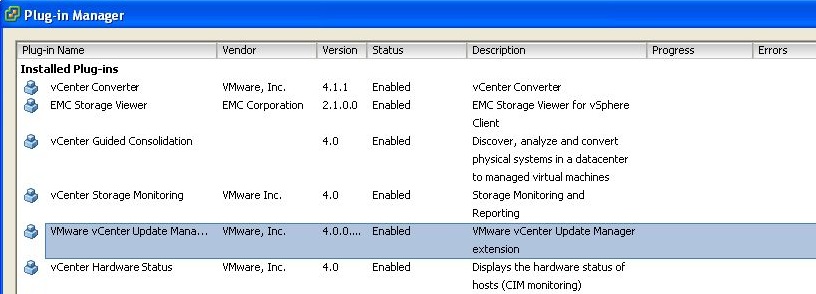
Then went back to the vSphere client and enabled the "VMware Update Manager" plug-in, which enabled fine.
All update manger tabs in vSphere client appeared and it has been working find since.
There is a related VMware KB on this error but it did not apply to my issue.
http://kb.vmware.com/kb/1011858
Share this blog post on social media:
Tweet


Latest Blog Posts
- vSphere 7 U1 - Part 3 - Creating a Datacenter, HA/DRS Cluster and Adding a Host
- vSphere 7 U1 - Part 2 - Deploying vCenter 7.0 U1 VCSA
- vSphere 7 U1 - Part 1 - Installing ESXi 7.0 U1
- Veeam CBT Data is Invalid - Reset CBT Without Powering Off VM
- View Administrator Blank Error Dialog/Window After Upgrade