A basic how to create a snapshot using the EqualLogic Group Manager. Its a very simple process, EqualLogic make everything very easy compared to other SANs on the market.
1. Login to the Group Manager.
2. Select the volume you wish to snapshot.
3. Click "Create snapshot now".
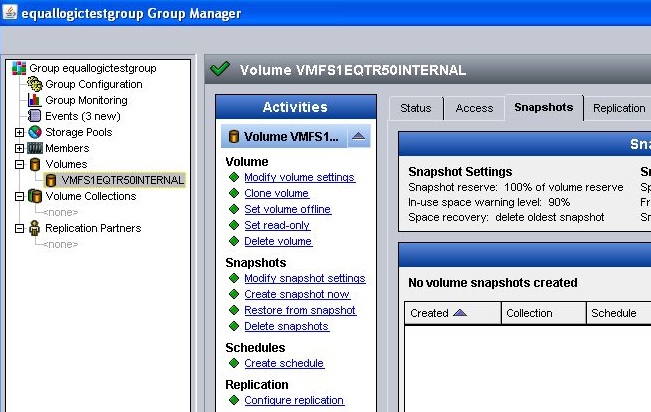
4. Enter a description for the snapshot.
Choose if you want the snapshot to be online or offline (if required for later or as a backup - can be changed later).
Choose to make the snapshot writable (can be changed later).
Click Ok.

5. You will now see the snapshot under the volume in the navigation sidebar.
6. Select the snapshot.
To put the snapshot online, Click "Set snapshot online" (makes sense right?!).
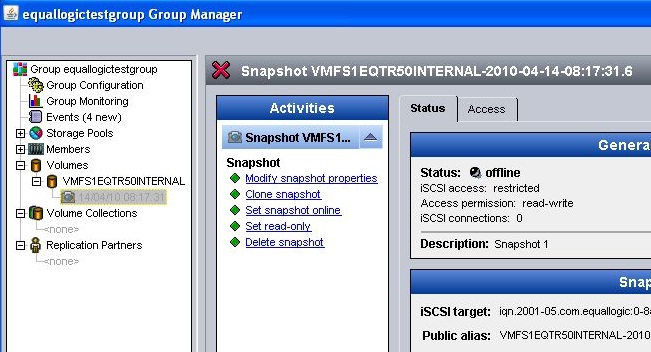
7. Confirm to set the snapshot online, Click Yes.

8. The snapshot is now online and accessible to all hosts defined in the access tab (by default the ones that had access to the volume).

Now you have a created snapshot and set it online. If this is a VMware VMFS datastore and you want to recover data from a snapshot of a LUN containing a VMFS datastore see Accessing a VMFS Datastore Snaphot and Resignaturing.
Share this blog post on social media:
Tweet


Latest Blog Posts
- vSphere 7 U1 - Part 3 - Creating a Datacenter, HA/DRS Cluster and Adding a Host
- vSphere 7 U1 - Part 2 - Deploying vCenter 7.0 U1 VCSA
- vSphere 7 U1 - Part 1 - Installing ESXi 7.0 U1
- Veeam CBT Data is Invalid - Reset CBT Without Powering Off VM
- View Administrator Blank Error Dialog/Window After Upgrade